How to Stop Forgetting Tasks: Create Now, Connect Later
To stop forgetting tasks, create one the moment something needs doing, whatever its size. When a related to-do comes up while you’re working on a task, add it to that task’s checklist. When you notice a task is connected to another, link the two. You can always link related tasks later, so there’s nothing to decide when you create one.
The tasks you miss are usually the ones you never wrote down
Think back to the tasks you’ve missed. Most of the time, you knew about them. You just didn’t write them down when they came up. The reasons tend to repeat: something seemed small enough to remember, or you weren’t sure which task it was part of, so you left it for later.
The more you have to decide before you create a task, the later you create it. Is it big enough to be its own task? Is it part of something that already exists? Does it need to happen before something else? While you work through those questions, the task exists only in your head, and then it’s gone.
So create the task with a one-line title right away, and link it to other tasks as you work.
1. Create a task for anything you need to do, big or small
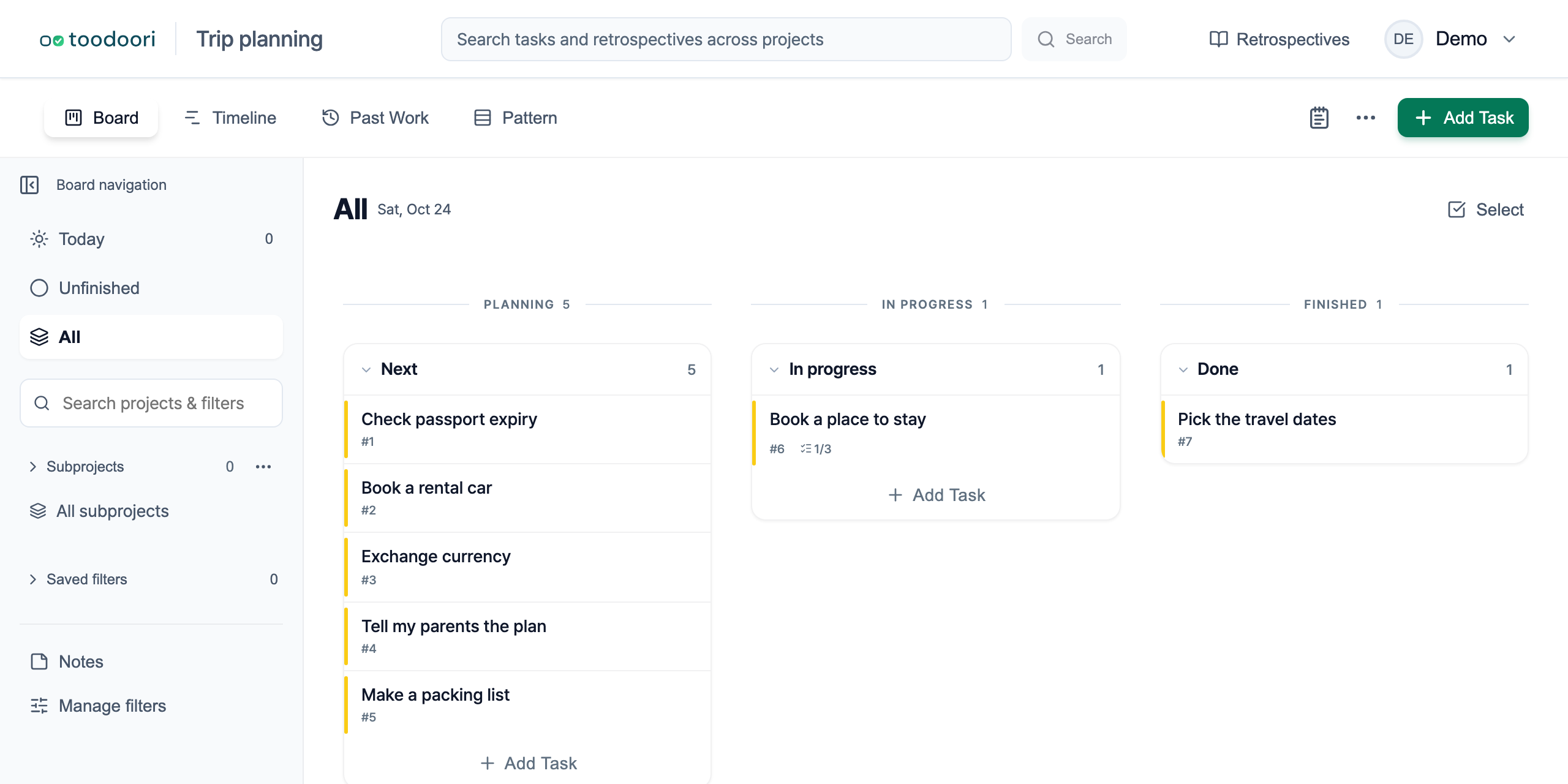
Say you’re planning a trip. “Book a place to stay” means comparing options over a few days. “Check passport expiry” takes a minute. Create a task for each as soon as it comes to mind.
Once size isn’t a factor, you no longer have to decide whether something deserves its own task. Small things are the ones you tend to save for later, to do alongside something else, and they’re the easiest to forget.
A title is enough. Leave the due date, labels, and priority empty, and fill them in when you need them. If you’re not sure which stage a task belongs in yet, you can add it to the Inbox first. Meeting Notes and Urgent Requests: Capture First covers how to sort what you’ve captured there.
2. Add what comes up during a task to its checklist
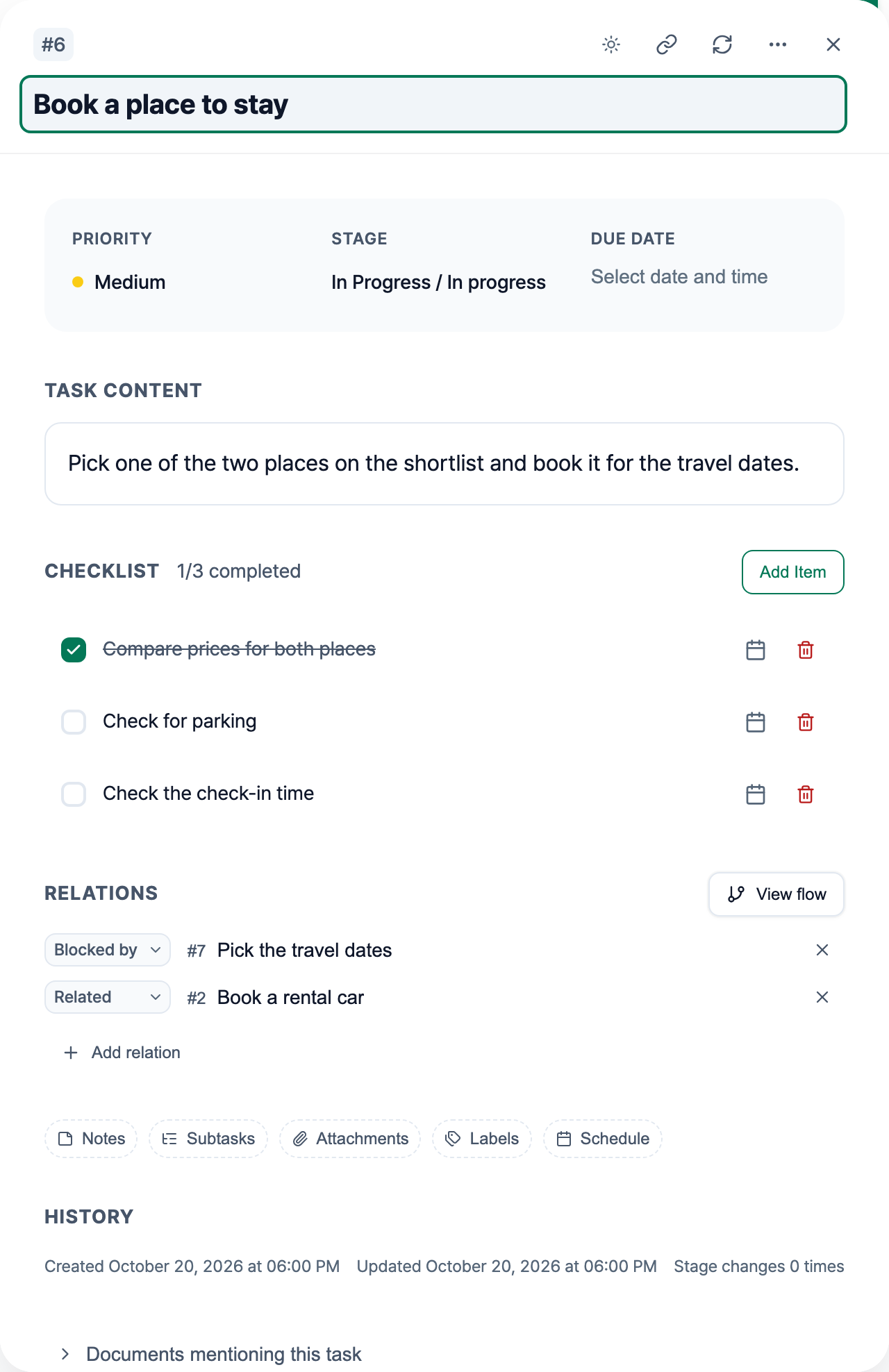
Working on a task often turns up more things to do. Partway through booking a place to stay, you realize you should check whether there’s parking and what time check-in starts.
If it’s something to check within the task you’re already working on, don’t stop to decide whether it needs its own task. Add a line to that task’s checklist. The task is already open, so adding the line takes seconds. The remaining items are right there the next time you open it.
If a checklist item grows into work you need to track on its own, create a new task for it then. Work Breakdown: Checklists, Subtasks, and Dependencies explains how to choose between a checklist item and a separate task.
3. When you notice a task is connected to another, link them
Sometimes you only notice a connection after you’ve created a task. You create “Book a rental car” and realize the rental dates and pickup area need to match when and where you’re staying. It goes hand in hand with “Book a place to stay,” which you created earlier.
There’s no need to delete it and recreate it under another task. Leave it as it is and link the two. If one has to happen before the other, use Blocked by or Followed by to link them in order. If they belong together in no particular order, use Related.
You can book the car and the place to stay in either order, so link them as Related. You can’t book a place until the travel dates are set, so open “Book a place to stay” and add “Pick the travel dates” under Blocked by.
In toodoori, you link tasks from the Relations section of the task details or from the flow view. Task Relations: Dependencies and Linked Tasks walks through the steps.
You can always link related tasks later
Checklist items and relations can both be added at any time after a task exists. So when you create a task, you don’t need to know whether it’s part of something else or what it connects to. Even a task you created without a second thought can later be linked to every task it relates to.
Create now, connect as you go
In short:
- When something needs doing, create a task right away, whatever its size.
- When a related to-do comes up while you’re working on a task, add it to that task’s checklist.
- When you notice a task is connected to another, link them.
The less you have to decide when you create a task, the fewer things exist only in your head. Create tasks quickly and manage them as you work, and you’ll miss fewer of them.
Related reading
- Capturing first when you don’t know where something goes: Meeting Notes and Urgent Requests: Capture First
- Choosing between checklists, subtasks, and dependencies: Work Breakdown: Checklists, Subtasks, and Dependencies
- Linking tasks and seeing them in the flow view: Task Relations: Dependencies and Linked Tasks
- Adding checklist items: Task Cards