What Is an Action Item? Meaning, Format, and Examples
An action item is a specific task that someone agreed to do, usually as the result of a meeting or conversation. A good action item tells you what to do without reopening your notes. It starts with a verb, names one owner, and says what done looks like. If a due date was agreed, it includes that too.
What an action item means
The term is most often used in meeting minutes. Of everything discussed, action items are the pieces someone actually committed to doing. They come up outside meetings too: in emails, chat threads, one-on-ones, and project retrospectives.
Meeting notes usually mix three kinds of content:
- Discussion: what was talked about, and the background.
- Decisions: what was agreed, including what you decided not to do.
- Action items: who will do what as a result.
Listing the action items separately makes it clear what happens next. Left buried in the discussion, they sit there until someone rereads the notes.
Action item vs. to-do
An action item is a kind of to-do. The difference is how specific it is. A to-do list might hold a bare topic like “quote.” An action item is written as something you can act on right away, such as “Send the revised quote to the client,” and it has an owner.
Action item vs. action plan
An action plan lays out all the steps toward a goal. Action items are the individual tasks that come out of a plan or a meeting. If the action plan is the list, each action item is one line on it.
What a good action item includes
- An action that starts with a verb: “Send the quote,” not “Quote.”
- One owner: When “we” own something, nobody in particular follows up. On your own list, the owner is you.
- A clear result: What has to be true for it to count as done. If the result is just “checked,” nothing records what you found.
- A due date: Include one only if it was agreed.
- A source: Note the meeting or conversation it came from, so you can find the context later.
Action item format
For a one-line version, put the action first and the owner and due date in parentheses.
Send the revised quote to the client (me, by October 30)For more detail, split it into fields.
Action: Send the revised quote to the client
Owner: me
Done when: The client has the revised PDF, and I've noted which version I sent
Due: October 30 (agreed on the call)
Source: client call, October 22
To turn a full set of meeting notes into action items, see Meeting Action Items: Examples and a Follow-Up Template.
Action item examples
Here’s how vague notes become action items.
| Where it came from | Note | Action item |
|---|---|---|
| Meeting | New feature announcement | Share a draft of the feature announcement email with the team |
| Reply about the quote | Send the revised quote PDF to the client (by October 30) | |
| One-on-one | Feedback on slides | Send the draft slides to a colleague and ask for comments |
| Retrospective | Docs are out of date | List the setup guide pages that no longer match the product |
| Personal | Passport | Check passport expiry |
Common mistakes
- Squeezing a big project into one line: “Launch the website” is closer to a goal made up of several tasks. Work Breakdown: Checklists, Subtasks, and Dependencies helps you decide what to split out.
- Assigning it to “we”: Pick one person to own it. If that’s someone else, your list only needs your part, such as “Check whether the draft has arrived.”
- Making up a due date: Once made-up dates mix in with agreed ones, it’s hard to tell later which deadlines were real commitments.
Keep action items in one place and plan your week from them
Action items scattered across meeting notes are hard to find again. Move each one into your task list or board as it comes up, and they’re all in one place no matter where they came from.
At the start of the week, you can choose what to take on from the action items you’ve collected. You might start with the ones that have a due date or that need to be done before other tasks. To plan the week, see Weekly Work Plan: Template, Example, and How to Make One.
In toodoori, each action item becomes one task. Put the action in the title. Put the result and the source in the task’s content. Add the due date if one was agreed. You can also use labels such as Meeting or Email to mark the type of source. Task Cards shows what else a task can hold.
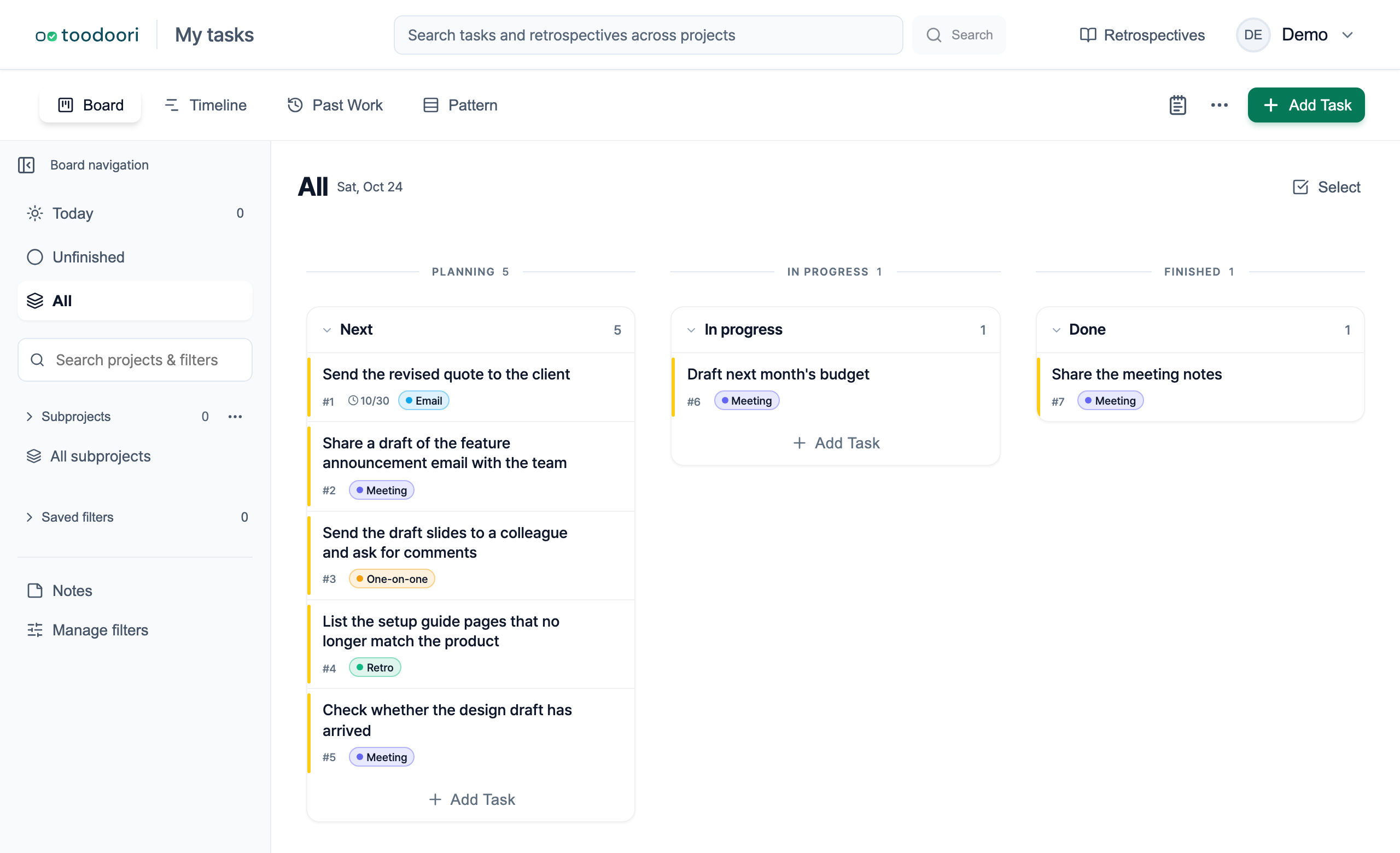
To build a board like this, enter “Send the revised quote to the client” as a task title and add a label for its source, such as Meeting or Email. After you sign in, you can create the task yourself. Sign in to toodoori and create your first task
Related reading
- Turning meeting notes into action items: Meeting Action Items: Examples and a Follow-Up Template
- Choosing this week’s work from what you’ve collected: Weekly Work Plan: Template, Example, and How to Make One
- Creating a task the moment something comes up: How to Stop Forgetting Tasks: Create Now, Connect Later