5 Personal Kanban Board Examples
These five personal Kanban board examples include stage names, sample cards, and one practical rule for daily tasks, side projects, study, content creation, and home routines. Copy the layout that best fits, then remove any stage you do not need.
On a personal Kanban board, tasks appear as cards that move between stages as their status changes. What Is Personal Kanban? covers the method and its basic structure; this article focuses on layouts you can copy.
Personal Kanban board examples at a glance
| Situation | Suggested stages | Key operating rule |
|---|---|---|
| Daily tasks | Inbox -> Today -> In Progress -> Done | Choose today’s cards instead of moving every open card into Today. |
| Side project | Ideas -> Next Up -> Building -> Review -> Released | Put only the next concrete piece of the project in Next Up. |
| Study and learning | Topics -> This Week -> Learning -> Practice -> Reviewed | Move a topic forward only after you apply or recall the material. |
| Content creation | Ideas -> Drafting -> Editing -> Scheduled -> Published | Give each piece one card and keep its notes with that card. |
| Home and personal routines | To Arrange -> Ready -> Doing -> Waiting -> Done | Use Waiting only when the next action depends on someone or something else. |
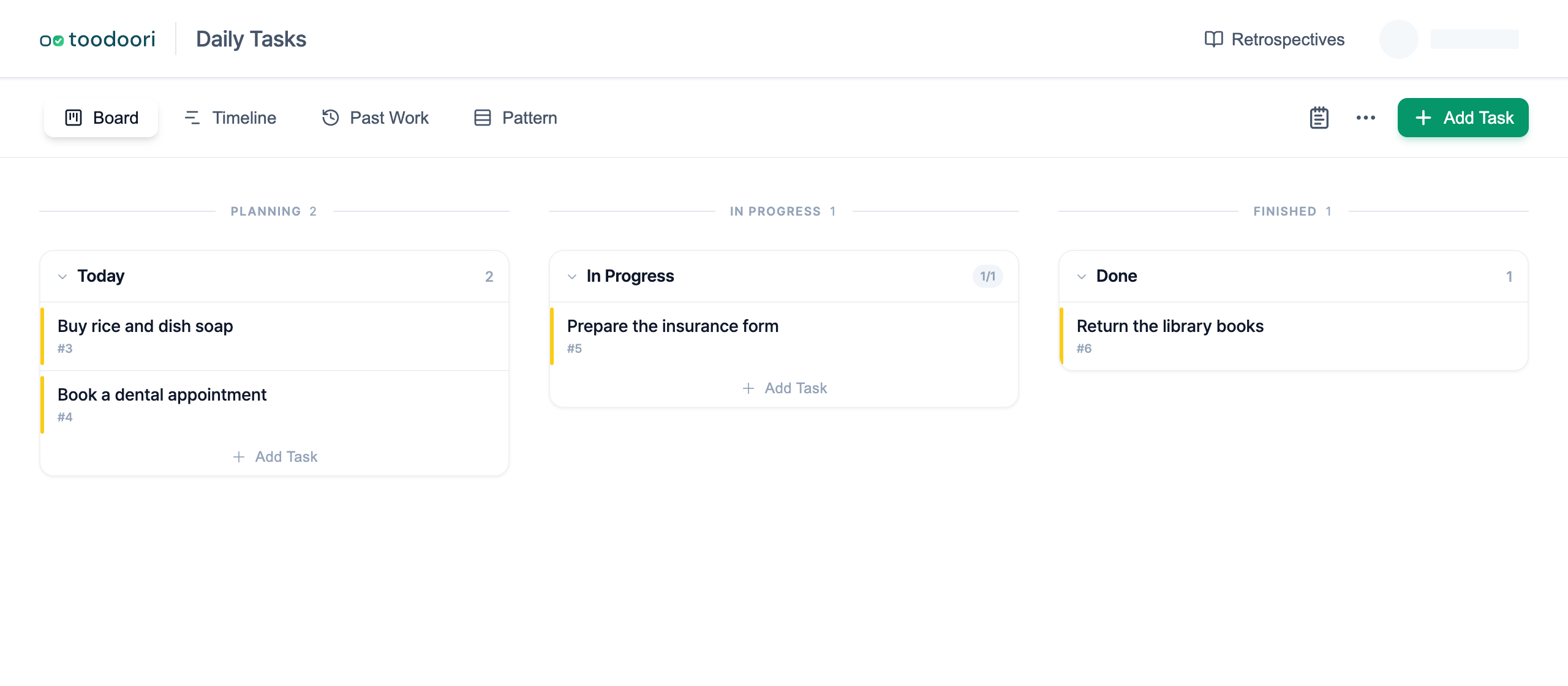
1. Daily tasks: Inbox -> Today -> In Progress -> Done
Use this layout when your board covers small tasks that appear throughout the day. Inbox holds items that you have captured but not reviewed. Today contains the few cards you have chosen to handle now. In Progress shows what you have started, and Done keeps the day’s finished cards visible.
In this example, Today is a custom stage name. toodoori also provides a separate Today scope, which includes due tasks and manual choices without moving their stages. Use Today: Choose Your Daily Tasks if you want daily selection across your existing stages.
Sample cards:
- Reply to the landlord about the inspection time
- Buy rice and dish soap
- Book a dental appointment
- Read the revised rental agreement
The useful distinction is between Inbox and Today. A captured task does not become a commitment for the same day. Choose from the inbox at a set time, such as after breakfast or before starting your main work, and leave the rest where it is.
Keep one or two cards in In Progress. If you want a fuller daily routine, Organizing Your Day with Personal Kanban covers choosing cards and reviewing what remains without repeating the layouts here.
The same cards the next day
Suppose you choose two cards on Monday and review them again on Tuesday morning. Keep the same cards and update their stages to match what happened.
| Card | Monday morning | Tuesday morning |
|---|---|---|
| Reply to the landlord about the inspection time | In Progress | Done, after sending the reply |
| Buy rice and dish soap | Today | In Progress, when you start the errand |
| Book a dental appointment | Inbox | Today, after you choose to make the call |
| Read the revised rental agreement | Inbox | Inbox, because you have not chosen it yet |
The unchanged rental-agreement card matters too. A new day does not require moving every unfinished card forward. Choose the appointment because you intend to act on it, not merely because it was already in the inbox.
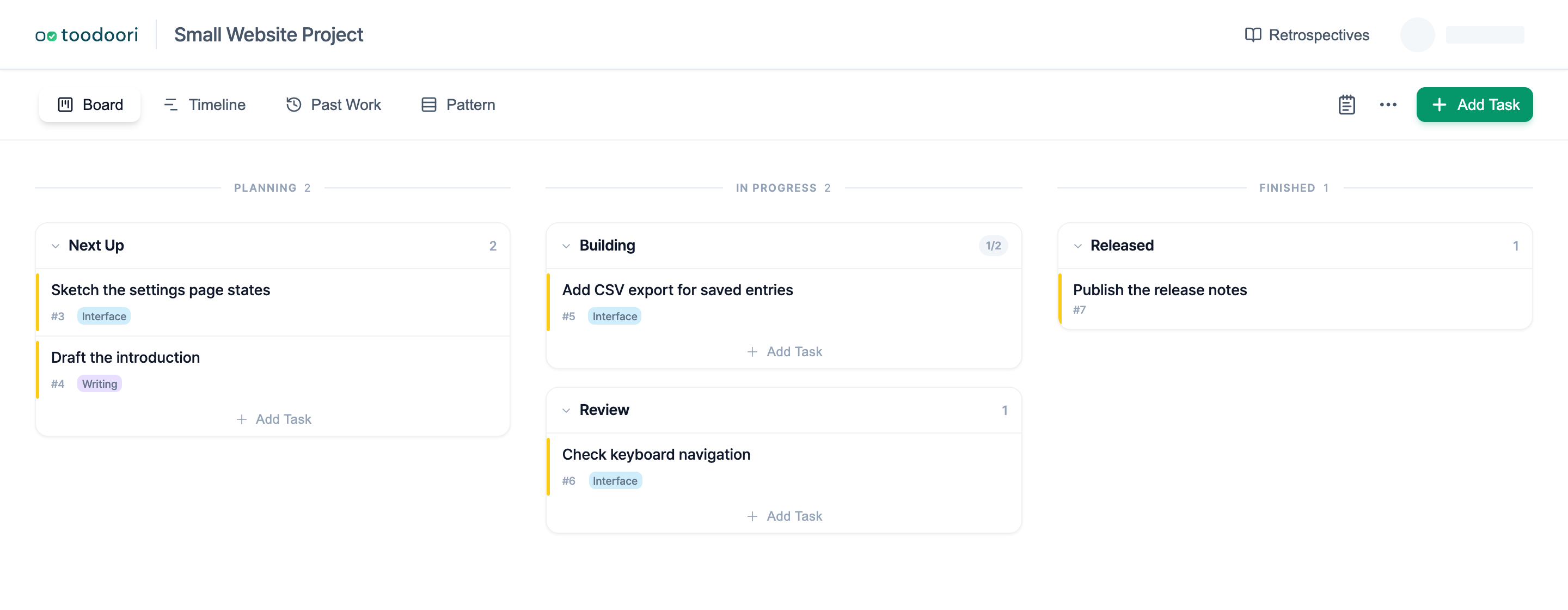
2. Side project: Ideas -> Next Up -> Building -> Review -> Released
Use this layout for a project that produces separate pieces over time, such as a small application, a newsletter archive, or a personal website. Ideas keeps possible additions separate from accepted work. Next Up holds a short queue of defined cards. Building and Review separate making something from checking it. Released marks work that is available to its intended reader or user.
Sample cards:
- Sketch the settings page states
- Add comma-separated values (CSV) export for saved entries
- Check keyboard navigation in the menu
- Publish the August release notes
Give each card a concrete outcome you can check. “Work on the app” is too broad to show movement, while “Add CSV export for saved entries” has a clear endpoint and can move through every stage.
Keep Next Up short. New ideas can remain in Ideas until an existing card reaches Released or leaves the board.
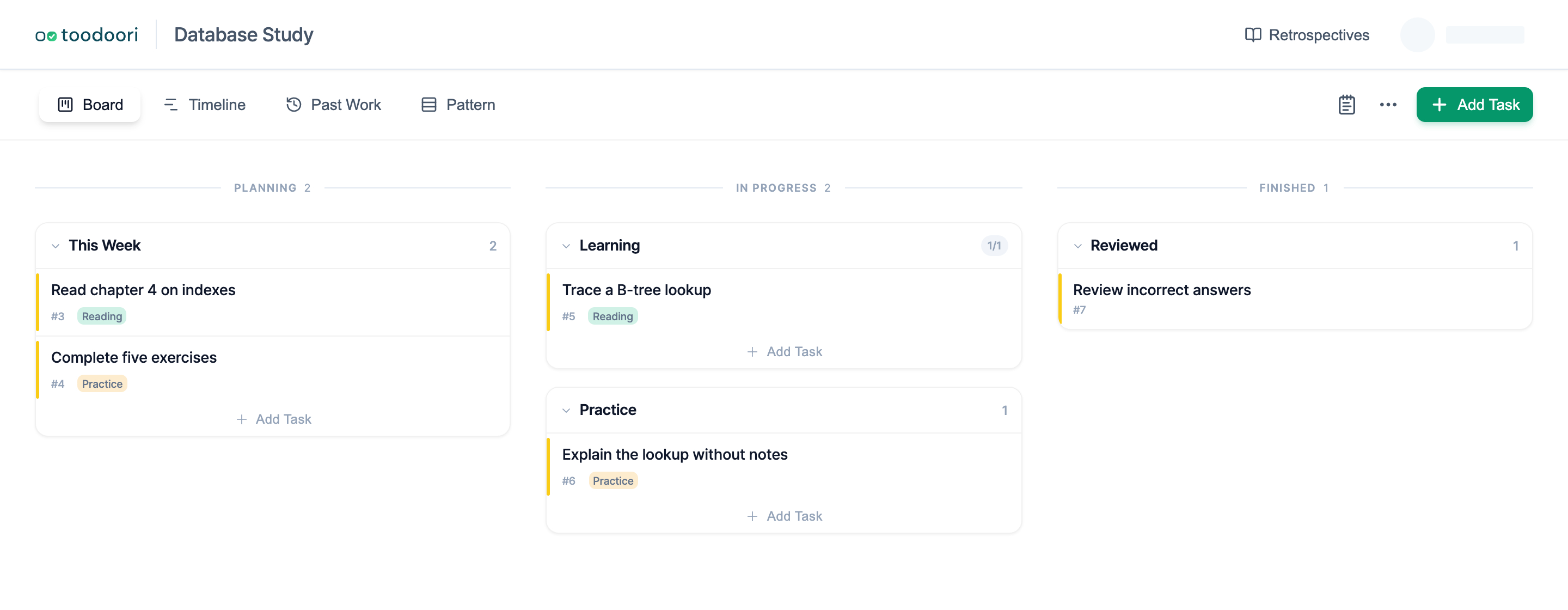
3. Study and learning: Topics -> This Week -> Learning -> Practice -> Reviewed
Use this layout when reading alone does not tell you whether you can recall or apply the material. Topics is the wider syllabus or reading list. This Week contains the small set you plan to address soon. Learning shows the material you are reading or watching. Practice holds exercises, recall practice, or explanations in your own words. Reviewed contains topics you have checked again.
Sample cards:
- Read chapter 4 on database indexes
- Explain a B-tree lookup without notes
- Complete five normalization exercises
- Review incorrect vocabulary cards from Monday
Pair each topic with a concrete way to check your understanding. A chapter title alone may reach Learning, but it needs a recall prompt, exercise, or explanation before it moves through Practice.
Do not turn Reviewed into a claim that the topic is permanently finished. Move a card back to This Week when it needs another pass.
4. Content creation: Ideas -> Drafting -> Editing -> Scheduled -> Published
Use this layout when each item moves through a repeatable editorial sequence. It works for articles, videos, podcast episodes, or a mixed personal publishing schedule. Ideas holds undeveloped subjects. Drafting contains active outlines and first drafts. Editing covers revision and final checks. Scheduled is for finished pieces with a publication date. Published records what has gone out.
Sample cards:
- Outline a guide to freezer labels
- Draft the neighborhood walk photo essay
- Edit captions for the repair video
- Schedule the September reading notes
Keep the whole piece on one card as it moves. Put title variants, source notes, and the publication checklist inside that card rather than creating separate cards for every editorial action. Task Checklist Examples: 4 Checklists and a Template includes a publication checklist you can adapt.
If you do not schedule content in advance, remove Scheduled. A stage should represent a real state, not an ideal process that you rarely use.
5. Home and personal routines: To Arrange -> Ready -> Doing -> Waiting -> Done
Use this layout for household maintenance, errands, appointments, and recurring personal administration. To Arrange holds tasks that still need a date, materials, or a decision. Ready contains tasks you can start with what you have. Doing shows active tasks. Waiting separates work paused by a delivery, reply, or appointment. Done keeps completed maintenance visible for later reference.
Sample cards:
- Measure the window for a replacement blind
- Replace the bathroom sealant
- Insurance claim: awaiting a reply
- File the appliance warranty receipt
Move a card to Ready only when its next action is available. For example, “Replace the bathroom sealant” stays in To Arrange until you have chosen the material and have time for it to cure.
Reserve Waiting for an external dependency. If you have merely stopped a task, return it to Ready so the board describes its actual state.
Choose the smallest useful board
Start with the example that most closely matches the work in front of you. Remove any stage that does not change what you do next. Add a stage only when cards repeatedly pause in a distinct state that you need to see.
To create the stages and move your first card in toodoori, follow Getting Started with toodoori.
For related guidance, read What Is Personal Kanban? for the underlying method, Organizing Your Day with Personal Kanban for a daily routine, and WIP Limits: Choosing What to Start and What to Defer for limiting how many cards are in progress.
For client replies and revision requests, see Freelance Project Management: Track Work and Client Replies.