How to Choose a To-Do App
If you’ve switched to-do apps several times and none of them stuck, it’s probably not a willpower problem. Different apps are good at different things — you likely picked one that doesn’t match the shape of your work. This post sorts to-do apps into three kinds and lays out criteria for choosing one that fits you.
Three Kinds of To-Do Apps
Checklist apps — Write items in a list, check them off. The fastest way to capture, with nothing to learn. Great for short, clear tasks like shopping lists and routines. But as work piles up, the list only grows longer, and nothing shows what’s actually in motion.
Calendar apps — Attach tasks to time. A good fit for things that happen at a fixed time, like meetings. But they force you to schedule even “whenever works” tasks, so the plan keeps falling apart — and rebuilding it becomes a task in itself.
Board (kanban) apps — See tasks as a flow of states: To Do, In Progress, Done. You can tell what you’re working on now and where things are stuck. They shine when you have many tasks, some spanning days. The difference between lists and boards is covered in Why a To-Do List Wasn’t Enough.
Three Criteria for Choosing
1. Is capturing frictionless? — You should be able to write a task down within three seconds of it occurring to you. Apps that demand a folder, tag, or date first make you put off even writing the task down.
2. Is there a way to pick today’s work? — If you still agonize over “what should I do today” every morning, the app isn’t pulling its weight. An app with a dedicated place for choosing today’s tasks makes the day easier to start.
3. Does finished work stick around? — An app where completing means vanishing leaves you nothing to look back on. Finished work has to stay as a record for you to see what you’ve done, and at what pace.
If Your List Only Grows, Try a Board
If you use a checklist app and the list only gets longer while nothing gets finished, the problem may be the checklist format, not the app itself. That’s when to try a board, where the flow is visible. Criteria for choosing a board-style (kanban) app are covered separately in How to Choose a Kanban App.
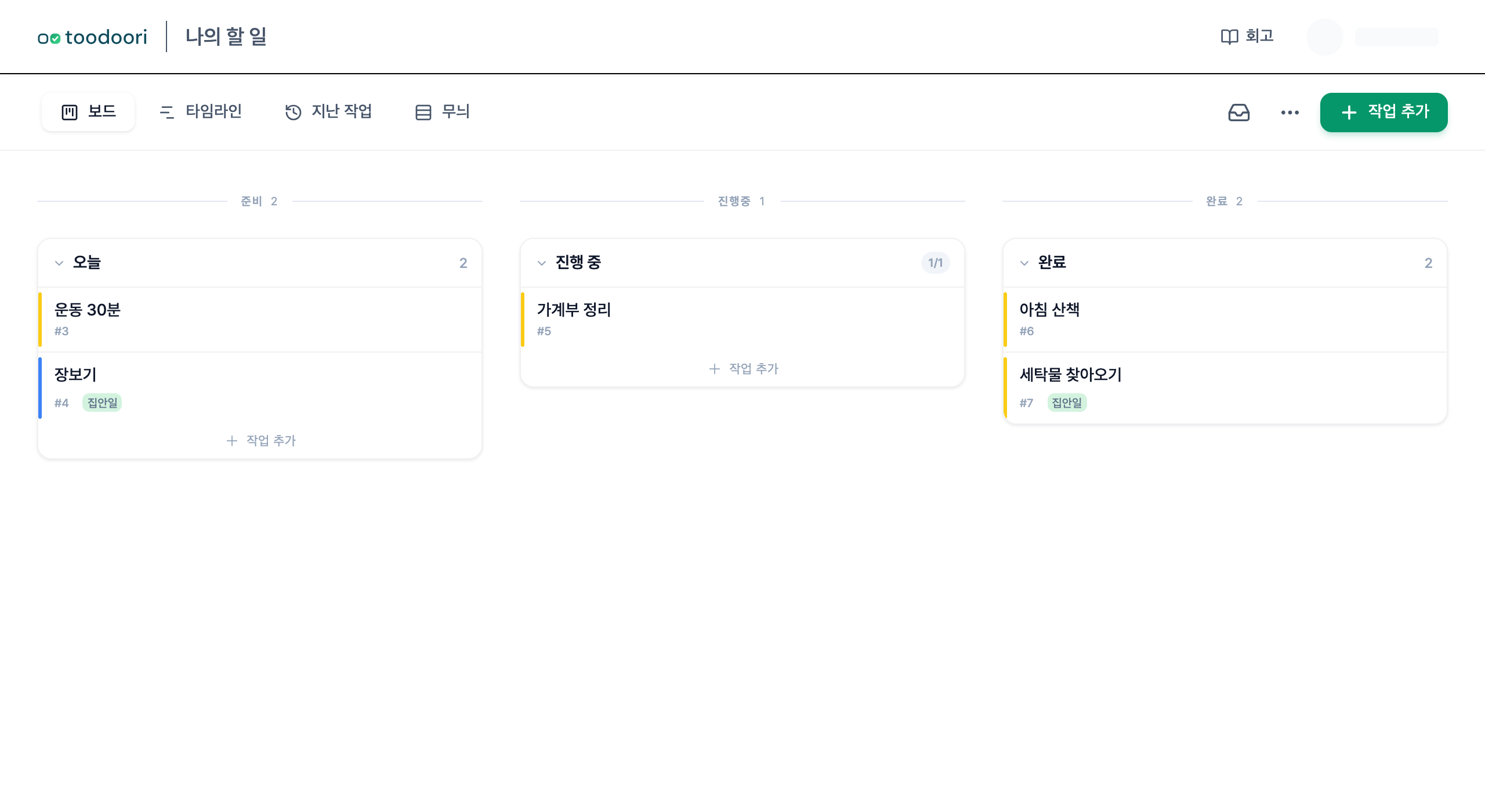
toodoori is a board-style to-do app for individuals. Capture a task in the Inbox, review due tasks and add your own choices in Today, and move cards through stages as their status changes. Keep completed work as a record.
Related Reading
- The basics of capturing, choosing, and finishing: How to Start Managing Your Tasks
- Lists vs. boards: To-Do List App vs. Kanban App
- Picking a board app: How to Choose a Kanban App